Tuesday, May 7, 2019

Arduino Runner

Disclaimer: This project was created by Christian Brobst and Christopher Ellis, so both of their blogs will be the same.

Arduino Runner adapt the concept of the mobile game Cube Runner to an Arduino and Unity. Instead of using a mobile phone to control the game, you use a separately connected Arduino. The Arduino is fashioned into a steering wheel for controlling the cube. Try to avoid the obstacles and make it as far as you can!

Arduino Runner uses an Arduino, FLORA accelerometer, single-press button, cardboard, and Unity. The setup and controller can be seen below.


After you've started the game, it begins immediately so be ready! Tilt the controller left and right to steer the cube left and right and avoid obstacles. If you hit an obstacle you spin out of control and lose. To reset the game at any moment, hit the button on the back of the controller. Once you have finished playing, just exit out of the game by clicking the x in the top right corner.

Thursday, April 4, 2019

Project Audio: Short Music

 Short Music brings all the frustration of having a song cutoff to another life! Tired of songs prematurely ending? Need to vent your frustration at something? Look no further! Short Music will only play a shortened song that cutoffs midway through unless you vent your anger at it. The louder you are when beginning the song, the more of the song that plays!

Short Music uses an Arduino, RGB LED, single-press button, speaker, and a microphone. The setup can be seen below.


Once powered, the button will play a song at a varying length. The LED indicates how long the song will play once it begins: Green - Short, Blue - Medium, Red - Long. Talking, speaking, yelling, or making any sort of noise into the mic will change the length of time the song will play, which is indicated by the changing color LED. Once the desired length is chosen or achieved, pressing the button will begin the song through the speaker.

Wednesday, March 27, 2019

Project Runway: Illuminating Hat

 Illuminating Hat allows you to walk around late at night freely without worrying about turning lights on or off! Inspired by those late night expeditions for water, food, or just the restroom, walking around the house trying to navigate in the darkness because you don't want to turn on any lights. Illuminating Hat auto-adjusts to the light levels when you're walking and even shakes off the drowsiness from staying up too late!


The Illuminating Hat uses an Arduino, RGB LED, photosenser, single-press button and a vibrating motor. The setup can be seen below.


Once powered, users can change the primary color given off by the hat to their preference of red, green, and blue. Walking around the house, the light intensity adjusts to the light levels of the room thanks to the photosensor. Walk out of your bright room into the dark hall? The light becomes bright! Walk back into your room from said dark hall? The light dims! Additionally, the vibrating motor vibrates with ever increasing intensity and purpose the darker it is! Shaking away the drowsiness brought on by the oncoming darkness and night by alerting you with the vibrations. Entering a safely lit area will dull the vibrations since you shouldn't be that drowsy in well-lit areas. Never fear the dangerous night trek fridge raid again! With this hat by your bedside, toss it on and safely grab that frozen pizza you know you wanted.

Thursday, March 7, 2019

Experience Taxonomy for Project Runway

The project planned for Project Runway is in essence, an interactive headlamp. A hat is surrounded by LEDs covering a broad range of vibrant colors that change based on the light of the environment. Users are able to change the output type of the LEDs, switching between the standard modes of most headlights: Constant Light, Rapid Blinking, SOS Blinking, and Off. Additionally, the hat will keep the user attentive in dark environments, by causing a slight vibration near the head. While not in use, the hat will have "screensaver" mode to attract individuals.

Before, During, After

Expectations Approaching the hat, you don't expect much control over the hat, since only a singular button is visible from the outside. Additionally, very little functionality is expected because most of the components are not visually apparent. Once using the hat, the user is surprised by the interactive nature the hat has with the light of the environment. After using the hat, the user is left with the impression to not judge devices by just their appearances.
Associations Viewing the hat, the immediate association that comes to mind is a headlamp or construction hat with a a built in lamp. Contrary to the aforementioned devices, this one forms a halo of light around the user's head. Wearing the hat forms a halo around the user, potentially making them associate themselves with an angel with an ever-changing light above them. 
Colors Visually seeing the arrange of colors being displayed by the hat creates a stunning view. Users are enticed to try out the hat because of the stunning display granted to them. However, the vibrant range pf colors could prove distracting to users of the hat. Upon using the hat, the vibrant colors don't rapidly change as they do upon approach, soothing the experience for the varying light levels.
Feels Seeing barely any components on the outside, users should think that they're just going to wear a comfy hat. When putting the hat on, the wiring is seen on the inside, potentially causing a displeasure when wearing the hat. However, upon use, the inside components don't prove intrusive of the user, maintaining the comfortable experience of wearing a hat.
Control As explained above, expectations of control are dulled based on the appearance of the hat. However, the interactive experience with the environment and the user input of different LED types on the hat create a new sensation of control over the device.

Overall

Beauty I'm not an artist, but the range of vibrant colors given off by the LEDs, forming a halo ring around the user's head create a truly beautiful experience that anyone could enjoy.
Creation The construction behind the LEDs and wires not only provide a comforting experience when wearing the hat, but also are organized to look nice around the brim of the hat.
Duty The utility behind the hat auto-adjusting to the light of the current scenario and adjusting the color appropriately allows the user to interact with the hat by switching the mode the LEDs are in.
Security Making the user more aware of their surroundings through lighting the environment and increasing attentiveness allows the user to have better security against anything they either cannot see in the dark or cannot see because they fall tired.

Tuesday, February 19, 2019

LED Circuit within Fabric

Creating a basic LED circuit within fabric was relatively simple. In terms of circuitry, the hardest part was maintaining a solid connection with the LED and the breadboard because of the nature of sewing the wire down. Sewing itself was little issue after I reacquainted myself with sewing, since it has been too long since I've sewed anything. Sewing the LED and wire connections into place such that they provided a firm connection was a bit of a struggle though. This wasn't because of the nature of the sewing, but rather my lack of skill and time with sewing. With time, my sewing will improve so most (hopefully all) connections with wire and components on fabric will be solid. Since the circuit is so simple, a picture of the setup will not be posted, especially since it's just an LED wired to be powered on.

Tuesday, February 12, 2019

Project Blink: Strong Breathe Contest

 Strong Breathe Contest is a contest for how many LEDs you can light up in a single breathe. Inspired from the typical 'strong man' games supposedly found at carnivals (I've never seen one) the user is challenged to light each and every LED through the sheer power of their lungs.

The Strong Breathe Contest uses an Arduino, touch sensor, potentiometer, and six LEDs. The setup can be seen below.


Users breathe on the touch sensor to light the LEDs in ascending order from left to right. Initially, it is very easy to light each LED, so to add additional challenge a difficulty meter was added. The difficulty is represented with the potentiometer. Far left is the easiest setting, while far right is the hardest difficulty. Once the difficulty has been set, the user can test their lung capacity by trying to light all the LEDs in a single breathe!

Thursday, January 17, 2019

Halo: Mist and Sunlight

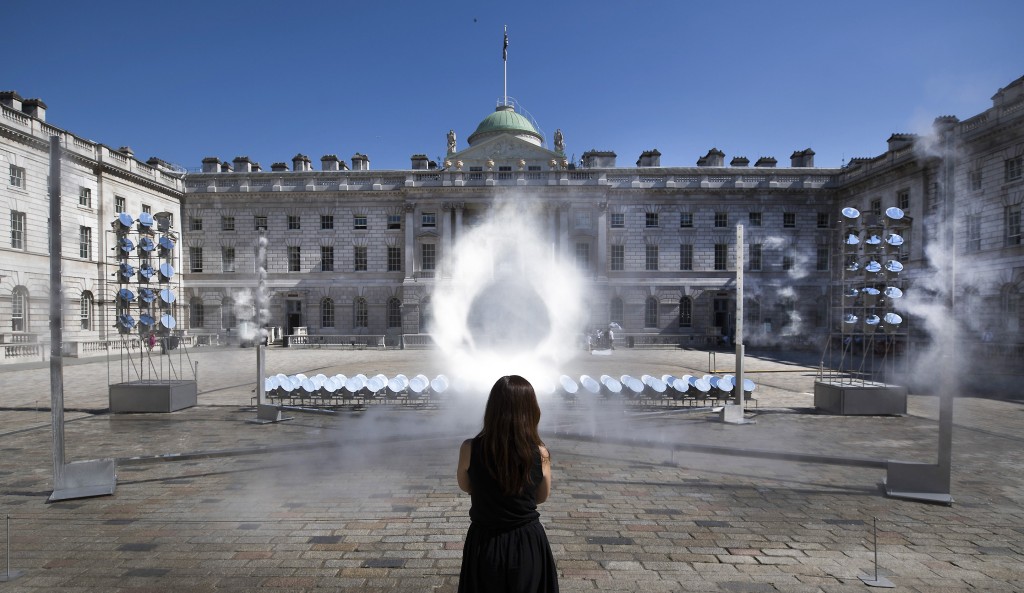
halo main
Mimi Son, "Halo", 2018
"Halo" was created by Mimi Son and her Seoul based art studio Kimchi and Chips.

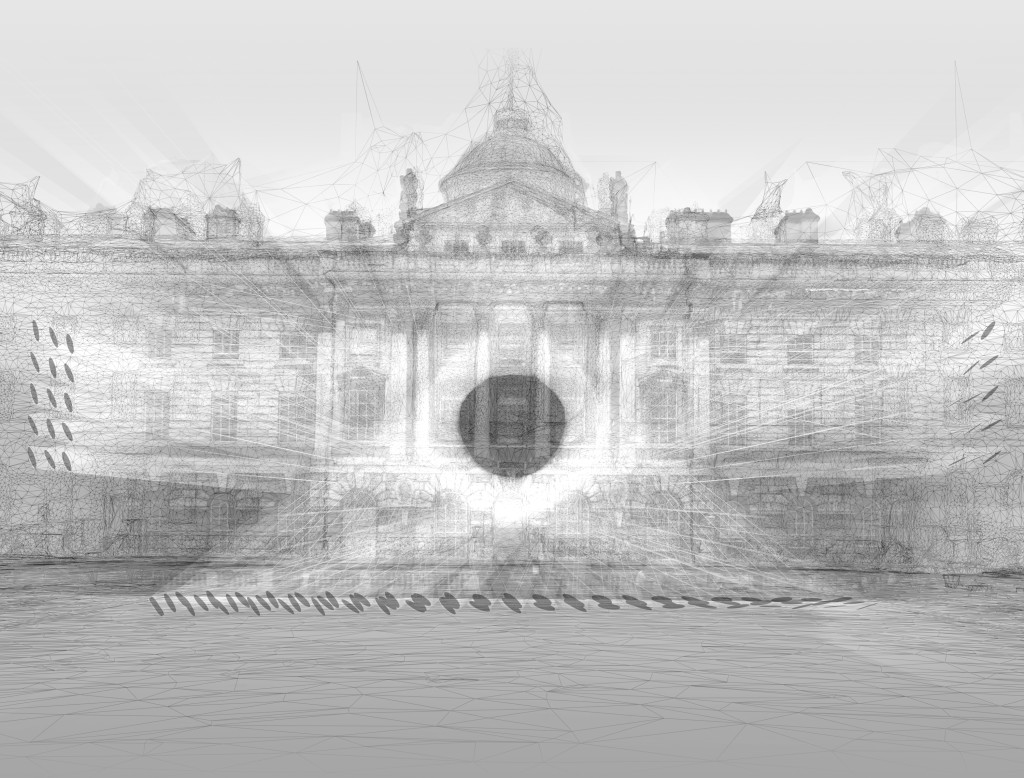
"Halo" forms a circle of light through the use of reflected light through streams of mist. 99 robotic mirrors track the sun throughout the day, reflecting the light from the sun towards a central focusing point. The reflected light is seen through the mist, which in turn, enables us to see images within the mist. Given the right conditions from the sun, wind, and mist, a halo can be seen within the mist, hence the name of the piece "Halo".

17
Focusing of Lights

"Halo" is on display in the Somerset House Edmond J. Safra Fountain Courtyard, London UK. Unlike the majority of London, the Somerset House is a tranquil resting spot within the hustle and bustle of London. "Halo" was constructed here because of the isolated nature of Somerset House. The area allows users a moment of meditation, which they can use to contemplate the mysteries behind the different natural elements of "Halo". When the halo appears, viewers are surprised at the figure created before them, since sun, wind, and mist had to all cooperate to form a singular figure amidst the individual natures of each element.